
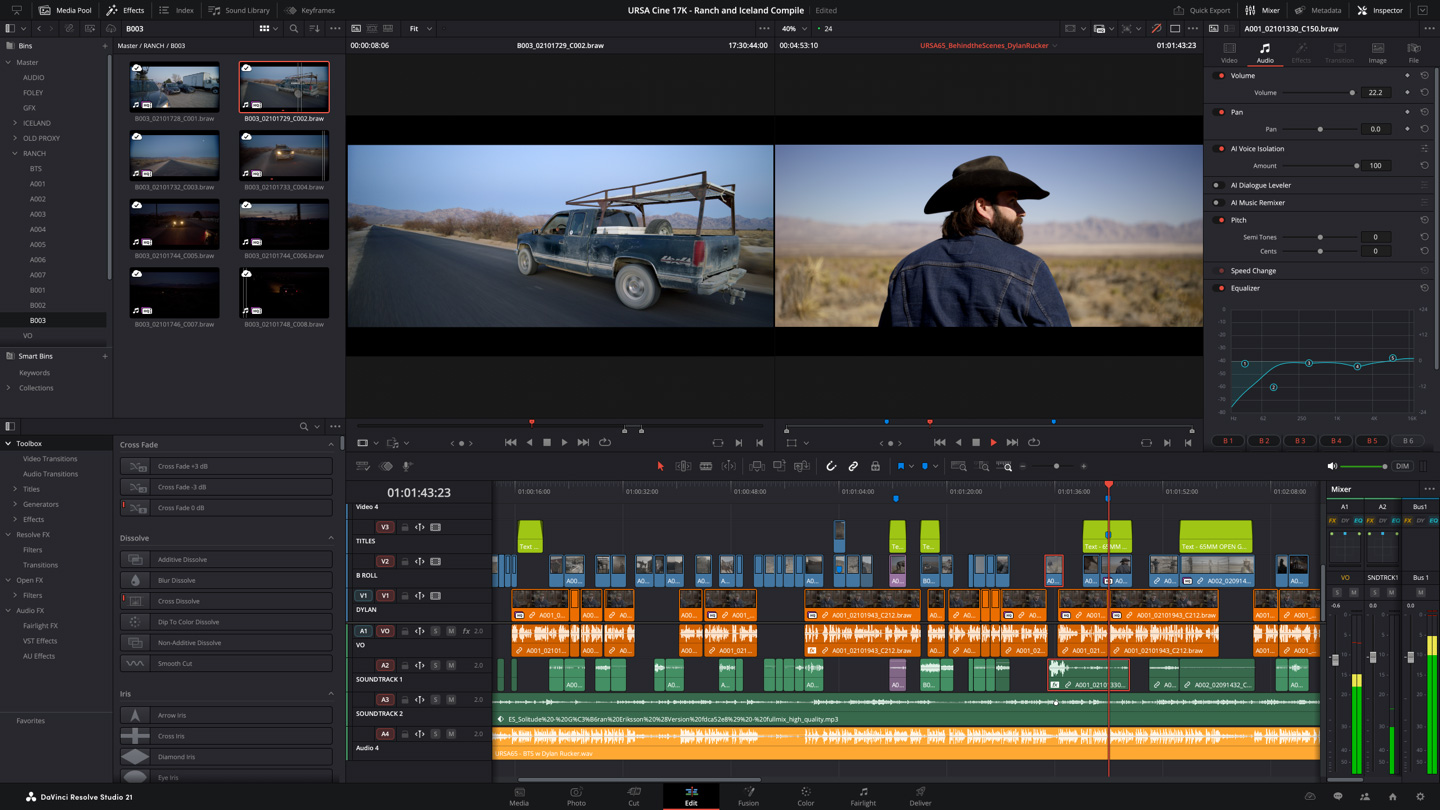
What it can do
- Workspaces cover cutting, color, audio editing, and visual effects.
- There is a free version and paid Studio edition. Distinguish Studio-only AI features and effects from the free version.
- Official training materials are available. Learn editing and export first, then explore other workspaces as you need them.
Your first editing workflow
- Create a project and check your video formats and timeline settings.
- Choose a supported portrait resolution for vertical video, import clips, and arrange them.
- Trim unwanted sections and add short captions and audio. Avoid Studio-only effects when working in the free version.
- Play the edit and export for your publishing destination. Review levels, captions, and aspect ratio in the saved file.
Try this: a small editing project
Combine three clips into a fifteen-second edit, then adjust only their brightness to make the cuts feel consistent. Begin by reducing distracting differences rather than adding color effects.
Before you start
Check OS, GPU, memory, and video-codec requirements. Review export conditions if you use Studio-only features. You can learn the workspaces gradually.
Free & paid conditions
A free version is available. The US official Studio page lists USD 295. Confirm regional pricing, taxes, purchase terms, and license conditions with the official seller. [1] [2] [3]
Footage & music licensing
Rights to generated or filmed footage and audio must be checked separately from the editing application. Being able to edit in the free version does not grant commercial rights to imported media.
Terms in this guide
Official sources
- [1] Official guide or store — www.blackmagicdesign.com
- [2] Pricing & purchase terms — www.blackmagicdesign.com
- [3] Official guide or store — www.blackmagicdesign.com
These introductory guides use official websites and app-store listings. Workflows and practice projects are general examples organized for beginners, rather than hands-on reviews or performance rankings. Confirm features, prices, and OS support for your version and region.