
01 · Beginner
Thinking about making your first AI video?
From choosing a tool to generating clips and editing them together. A beginner's guide to finishing your first fifteen-second video.
Read guide ↗
AI VIDEO TOOL DIRECTORY
A talking presenter, an animated image, or a cinematic shot? Compare five AI video services by what you want to make. Start with your first short video.
Choose your next production exercise to suit your current level.
01 · Beginner
From choosing a tool to generating clips and editing them together. A beginner's guide to finishing your first fifteen-second video.
Read guide ↗02 · Intermediate
Generate several 15-second AI videos and edit them into one work. Learn CapCut on a smartphone and Premiere on a PC using the same assets and structure.
Read guide ↗03 · Advanced
Manage generation settings in ComfyUI and automate production with Codex or Claude Code. Move from a single successful result to a repeatable workflow.
Read guide ↗Understand what each tool does, then choose one that fits your project.
Generate visual scenes and camera movement
Beginners and intermediate creators making scenery, product imagery, or story inserts.
Turn scripts into talking-avatar videos
Creators making explainers without appearing on camera, or building videos around a script.
Bring images to life with motion
Creators animating photos or illustrations to make short visual shots.
A studio for video, images, and audio
Creators who want to try short-video generation and finishing in one service.
Generate and transform footage in Dream Machine
Creators experimenting with composition and motion for scenery or product imagery.
No tools found. Try another keyword or category.
5 results
Prices are in USD. Monthly billing and annual equivalents are identified. Unverified current prices are not presented as confirmed.
| Tool | Main use | Free plan & trial conditions | Paid plan reference | Tool guide |
|---|---|---|---|---|
| Runway | Generate visual scenes and camera movement | Free includes 125 one-time credits, not a monthly refill. Gen-4.5 is not included in the free plan. | Standard: USD 15/month billed monthly. Annual billing is USD 12/month equivalent (USD 144/year), with 625 monthly credits. | Read the guide |
| HeyGen | Turn scripts into talking-avatar videos | Free allows 3 videos per month, each up to 1 minute. Features and generation allowances differ between free and paid plans. | Creator: USD 29/month billed monthly. The pricing page lists 600 credits, 1080p export, and watermark removal. | Read the guide |
| Kling AI | Bring images to life with motion | An official pricing article mentions daily credits. Check your account for current allowances and eligible models. | Current checkout pricing is unverified. Check the official renewal price instead of relying on a first-month discount. | Read the guide |
| Pika | A studio for video, images, and audio | Free: USD 0/month, with 0 monthly credits (packs only). Check the credit-purchase requirements for use. | Starter: USD 10/month billed monthly, or USD 8/month equivalent billed annually (USD 96/year). Commercial-use Creator is USD 35/month billed monthly. | Read the guide |
| Luma AI | Generate and transform footage in Dream Machine | The official FAQ describes a limited Free plan. Check the official interface for current quotas, models, and waiting times. | Current checkout price unverified. Reference only: the January 2026 official FAQ lists Web Lite at USD 9.99/month and Plus at USD 29.99/month. | Read the guide |
Give your video one clear job before choosing a model.
Start with HeyGen if you want to work from a script and an avatar. A practical route into product explainers and mini lessons.
Compare Runway, Kling AI, and Luma AI. Begin with one short shot and experiment with its movement.
Explore Pika's Video Studio. Check which models and audio features your plan includes.
Video editors
Arrange generated shots, trim what you do not need, and add captions and sound. Explore our mobile and desktop editing guides.
Choose a video editorKeep up with what's new in AI video generation and editing tools. Find updates that can help you make your next video.
![October 12: AI video news roundup. [Reference] Runway Dev adds Grok Imagine Lite, with prices varying by resolution. Protoface API expands to more than 40 models, with multiple providers under one key. [Reference] Runway MCP uses Brand Kits assets as generation references. A character for the October 12 edition appears at the top right, and the 1 Minute Video Lab icon at the bottom right.](../assets/news/news-2026-10-12-mascot-12.webp)
Runway Dev's Grok Imagine Lite, Protoface's multi-model API, and Runway's brand asset integration. We cover API and production workflow information not repeated from previous editions, with announcement dates.
Read article ↗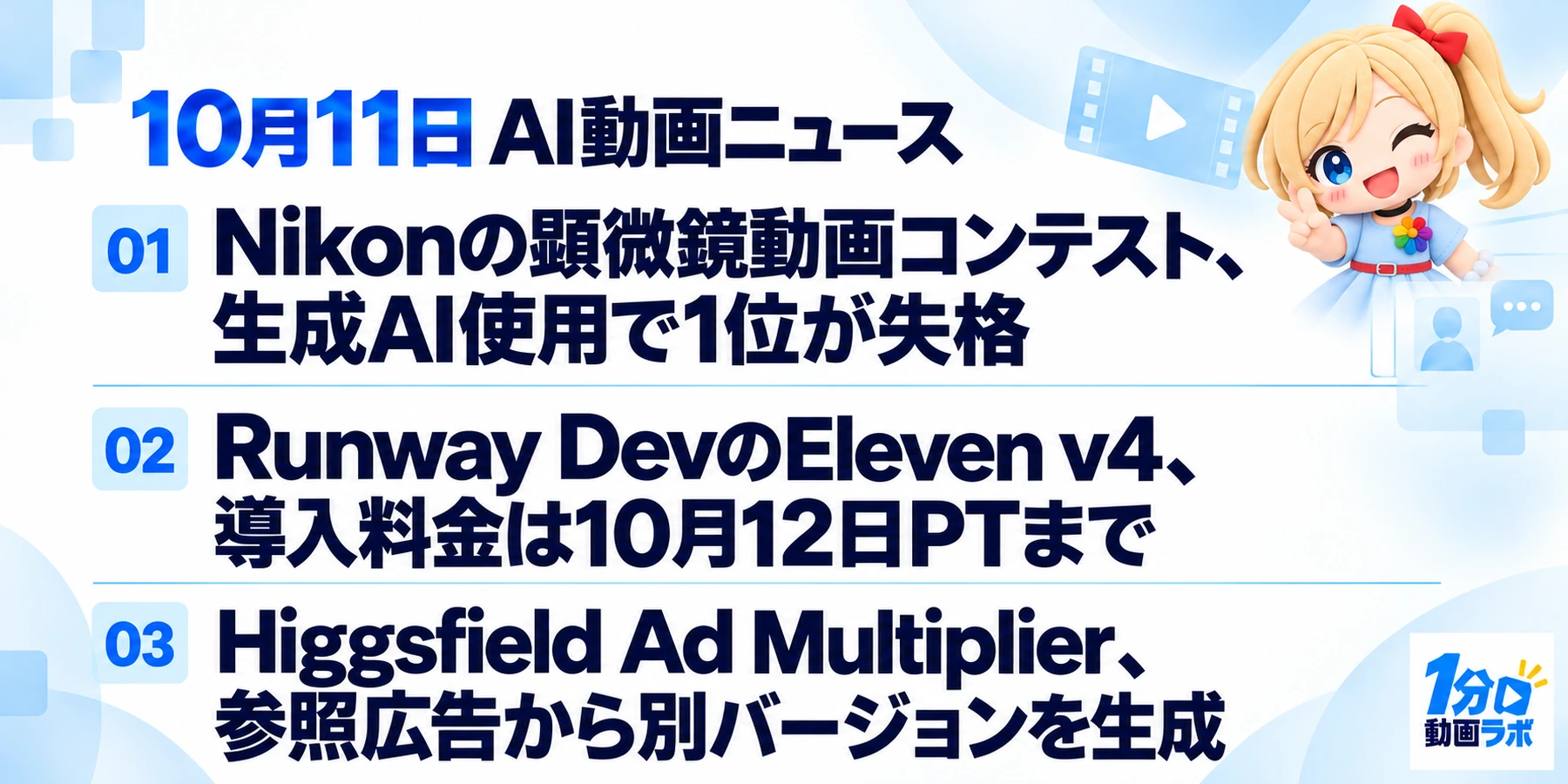
Nikon's microscopy video competition, Runway Dev's speech generation pricing, and Higgsfield's ad variation tool. A roundup of reporting not previously covered and checks of deadlines and features.
Read article ↗
Filmora 16's AI asset analysis, scheduled shutdowns of Gemini API Veo previews, and Higgsfield's 60-second video contest. We checked new features and production-related deadlines against official information.
Read article ↗From refining short instructions to new workflows using reference assets, video editing, and MCP. Check the examples and requirements, then try them yourself.
When generating video from text, clarify what is shown, how it moves, and how the camera presents it.
Try it ↗The reference image communicates composition and appearance, so focus your prompt on movement and changes over time.
Try it ↗Record conditions and avoid large simultaneous changes to prompts and settings so you can track why a result improved.
Try it ↗Advertising, illusion, and everyday documentation. Learn about structure and perspective from four works lasting 60 seconds or less.
Show a life changing through search screens alone
GoogleExplore the creative approach ↗Keep the gaze and narration steady as the setting keeps changing
Old Spice / Wieden+Kennedy / Tom Kuntz / MJZExplore the creative approach ↗A quick surprise and reveal invite another watch
Zach KingExplore the creative approach ↗These introductory guides are based on official websites, pricing pages, and help documentation. They do not rank performance or report hands-on generation tests. Practice tasks are our own editorial suggestions. Check current plans, features, and regional availability before subscribing.